

Quick Unsubscribe from Google Group emails?
Turns out that’s not so easy when you never signed up in the first place and don’t even have a Google account tied to the address.
Today I got a particularly annoying form of spam that came via Google Groups. Basically, some spammer added [email protected] to a Google Group and then started sending out emails from the group to the distribution list. That’s not too bad because I can block that address and never see the original emails. However, because the spammer CCed the Google address, every reply-to-all gets sent directly to me, so now I’m getting angry “take me off this list” emails from people all over the world in a ton of different languages.
To make matters worse, some of these companies have misinterpreted the unsubscribe requests not to get out of the Google Group, but to unsubscribe the recipient from their corporate emails. These conversations are particularly painful as I’m watching a bunch of people chase down subscribers that don’t exist in their system.
I need out of this group, fast.
I could probably write a creative rule in Outlook to address it, but I really wanted to get out of the group.
But naturally, there’s no information on how to get out of the group, so I had to go digging in the email headers to find the information. In fact, this is how I found out that it was a Google Group – even that part wasn’t obvious from the email.
So now I know it’s a Google Group, it’s time to get out of it. After analyzing the headers, I found that the page for managing the subscription was at https://groups.google.com/a/appsthinkers.com/g/Alexander94
The problem is that you need to log in with the Google account associated with the email that needs to be unsubscribed, and there is no Google account associated with [email protected].
How to Unsubscribe from Google Group Emails via Email
The next trick I tried was emailing [email protected]
to unsubscribe, but even before I clicked send it was clear to me that this wasn’t going to work for my situation because the email was going to come from my email address, not info@. As expected, I got an autoreply indicating that.
We have received your request to unsubscribe from Alexander94. However, you do not appear to be a member of Alexander94, so we have taken no further action.
Next issue: info@ is an alias, not a mailbox, so I can’t send from that address. I could temporarily make it a mailbox, send the email, and decommission the mailbox, but that’s a lot of work. So how do I spoof this?
Postmark to the rescue
I can send an email from any address on glimmernet.com via Postmark regardless of whether or not it’s a mailbox.
The next hiccup is that Postmark doesn’t have a way to send just one email, so I have to use the API. This is turning into a much bigger project than I anticipated, but hey, at least I’m close to getting off the spammer’s list.
I could have written the script in PHP or Python pretty easily, but I didn’t want to be bothered with firing up Visual Studio, so I opted to give PowerShell a shot. It took a little debugging because PowerShell’s curl was munging up the JSON, but after a quick swap of curl for Invoke-RestMethod it worked like a charm.
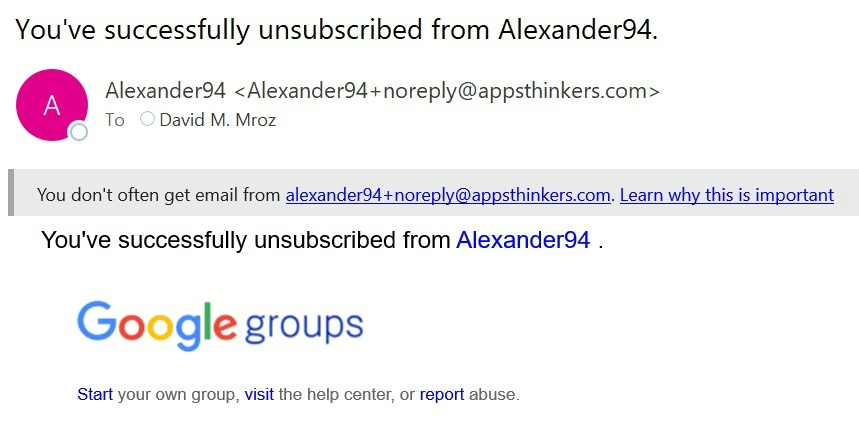
After running the script, I eventually did get Google’s unsubscribe confirmation — but, ironically, it was caught by the quarantine filter. Either way, the emails stopped, so that’s a win!
The Code to Unsubscribe from a Google Group
Since this might help someone else who finds themselves trapped in an unwanted Google Group with no easy unsubscribe option, I’ll include the PowerShell code below. If you want to skip copying and pasting, I’ve also made the script available for download here.
For anyone else who finds themselves in this ridiculous situation, here’s the simple PowerShell script that did the trick. No magic – just a quick API call. It’s easy enough to adapt for other platforms too if you find yourself needing to send from an alias on a different transactional email platform.
|
1 2 3 4 5 6 7 8 9 10 11 12 13 14 15 16 17 18 19 20 21 22 23 24 25 26 27 28 29 30 31 32 33 34 35 36 37 38 39 40 41 42 43 44 |
# PostmarkUnsubscribe.ps1 # Author: Glimmernet Technologies # URL: https://www.glimmernet.com # Description: Sends an unsubscribe request to a Google Group using the Postmark API. # This script allows users to send an unsubscribe email from a non-mailbox alias address via API. # Requirements: # - Valid Postmark Server Token # - PowerShell (Windows) # - Network connectivity to api.postmarkapp.com # Usage: # 1. Replace 'YOUR_POSTMARK_SERVER_TOKEN_HERE' with your Postmark Server API token. # 2. Optionally edit the 'From', 'To', 'Subject', and 'TextBody' fields as needed. # 3. Run the script from PowerShell: .\PostmarkUnsubscribe.ps1 # Notes: # - This script is intended for one-time use to automate unsubscribe requests. # - Ensure that your 'From' address is authorized to send via Postmark. # - The script prints Postmark's API response for confirmation. # Disclaimer: # This script is provided "as-is" without warranty of any kind. Use at your own risk. # It is intended to assist with unsubscribing from legitimate mailing lists only. # It will not reduce spam from malicious senders who ignore unsubscribe requests. # Always ensure compliance with your applicable policies and email service terms. $PostmarkToken = "YOUR_POSTMARK_SERVER_TOKEN_HERE" $EmailPayload = @{ Subject = "Unsubscribe" } $JsonBody = $EmailPayload | ConvertTo-Json -Depth 3 -Compress $response = Invoke-RestMethod -Method Post ` -Uri "https://api.postmarkapp.com/email" ` -Headers @{ "Accept" = "application/json" "Content-Type" = "application/json" "X-Postmark-Server-Token" = $PostmarkToken } ` -Body $JsonBody $response |
Glimmernet Customers: We’ve Got You Covered
If you’re a Glimmernet Managed WordPress Hosting or Application Hosting customer, we probably already have Postmark configured for your transactional emails. If you find yourself in a similar situation with unwanted messages, we can help — just submit a support ticket at https://support.glimmernet.com or email us at [email protected], and we’ll be happy to send an unsubscribe request on your behalf.
Email Marketing Done Right
Email marketing can be incredibly effective when it’s done right as it helps you build genuine relationships with an audience that actually wants to hear from you. But tactics like sending emails to people who never signed up do the opposite: they damage trust and hurt your brand’s reputation.
To make sure your emails reach people who actually want them (and don’t get ruthlessly reported as spam by someone like me) we help our clients build permission-based campaigns the right way, improving deliverability, protecting their sender reputation, and driving better engagement.
0 Comments